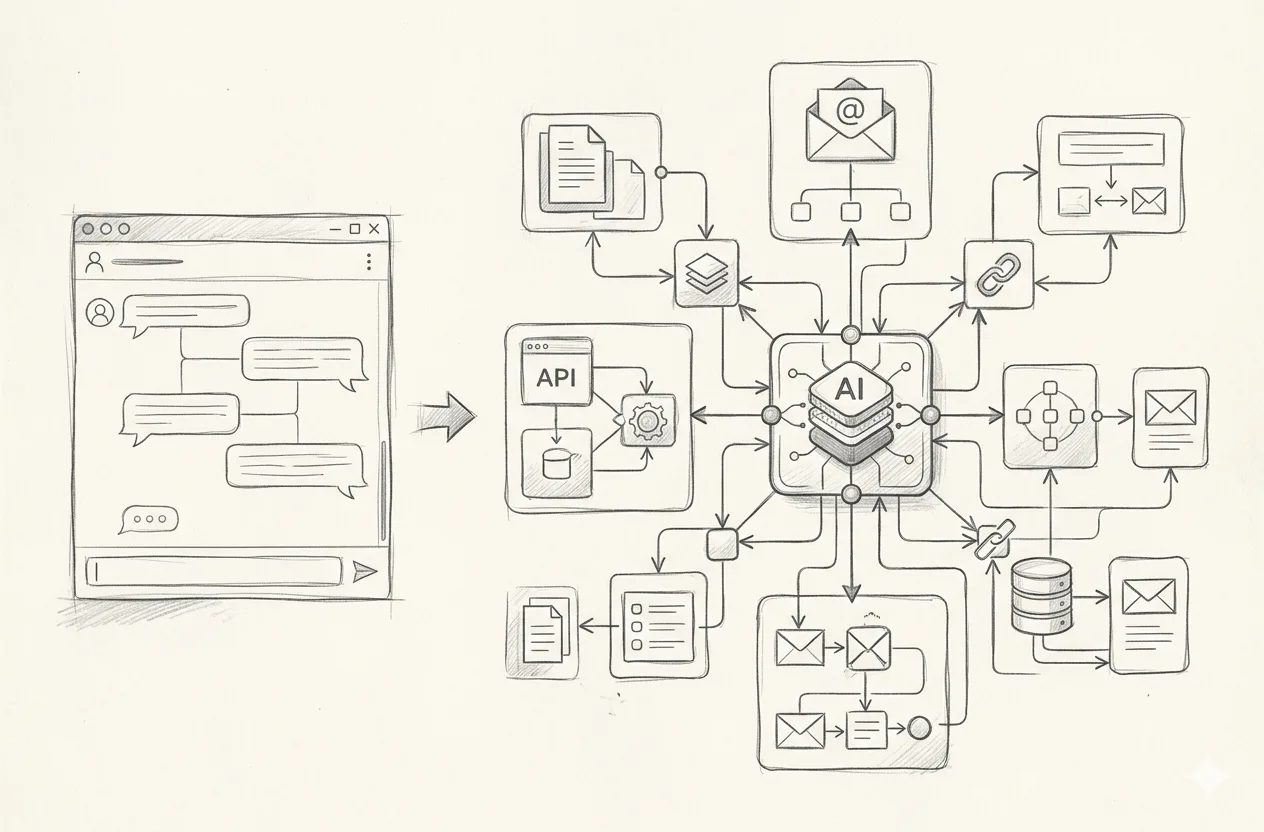
Most CRM, ERP, and other systems — essentially interfaces built on top of databases — have one thing in common.
They really love fields.
And dropdown lists… And more fields… And then a few more dropdown lists.
As a result, a person who should be selling, working with customers, organizing production, or managing a process spends a significant part of the day working as a database operator.
Copying a name.
Entering a phone number.
Selecting an order type.
Setting a status.
Adding a comment.
Transferring data from an email.
Then from a chat.
Then once again into the field next to it because it uses a different format.
And this is exactly the type of work modern AI systems can already simplify significantly.
Not replace the CRM or ERP. But make sure people no longer have to constantly work inside them manually.
CRM and ERP Do Not Have to Start with a Form
The traditional scenario looks something like this.
A customer writes or calls and explains what they need.
The manager takes notes or immediately opens the CRM.
Creates or selects the customer.
Creates a deal.
Selects the product type.
Enters the quantity.
Adds the date.
Adds the address.
Selects the legal entity.
Writes a comment.
Attaches a file.
And fills in something else the company decided to add to the form five years ago.
Now imagine another option.
AI reads the conversation with the customer, understands the context, and identifies:
who the customer is;
what they are ordering;
the quantity;
the deadline;
additional requirements;
which information is already available;
which information is still missing.
The system can then fill in the required fields, create the order, attach the conversation, set the correct status, and, if something is missing, ask the manager or customer a few clarifying questions. Once everything is confirmed by a person, it can launch the next processes.
The person does not become less important.
They simply stop working as a translator from human language into CRM language.
The Same Approach Can Work on the Employee Side
An employee can simply write to the system:
“Create an order for company ABC for 500 units, delivery next Thursday, standard packaging. Use the same price as last time.”
The system checks the context. Finds the customer. Looks at the previous order.
Then it asks:
“Use the same delivery address? Same contact person?”
The employee answers.
The system then:
creates the record;
fills in the fields;
sets the correct status;
starts the next stage;
stores the context;
creates related tasks;
launches connected processes;
and so on.
Instead of spending ten minutes working with a form, the person spends one minute explaining what they need in normal human language.
AI Is Not a Separate Button Here. It Becomes Part of the Process
The most interesting part does not begin when fields are being filled in.
It begins after that.
Because once the system understands the process, it can take responsibility for much more.
For example, it can:
remind a manager to contact a customer;
send a clarification request automatically;
prepare a weekly summary of all open orders;
send management a list of problematic cases;
move an order to the next status when the required conditions are met;
launch a separate process at a specific stage;
prepare a technical specification for production;
prepare a data package for a contractor;
send that package;
check whether a response was received;
remind the contractor if there is no response;
alert the responsible employee if something falls outside the normal scenario.
The system stops being simply a place where records are stored.
It starts participating in the execution of the business process itself.
And This Is Where a Custom System Has One Major Advantage
It is built around the company’s real process.
Not around the fields provided by a CRM vendor.
Not around the statuses available in an off-the-shelf ERP.
Not around the “correct” way to use a particular SaaS product.
But around how the business actually works.
If your company has:
non-standard rules;
custom statuses;
specific roles;
its own pricing logic;
complex approval flows;
several types of production;
different scenarios for working with contractors;
exceptions for specific customers;
— that is not a problem.
It is simply part of the system architecture.
You Do Not Need to Build a Spaceship from Day One
There is another important point.
A system like this does not need to be built in its final form immediately.
In fact, a sensible path often starts with something very familiar.
Database + interface.
The good old CRM/ERP. Customers. Orders. Statuses. Documents. Tasks. Reports. Everything is familiar.
The difference is that the system is designed from the beginning so that the parts where people simply enter, copy, search, check, or transfer information can gradually be handed over to the machine.
First, AI can help fill in records.
Then — process incoming requests.
Then — generate documents.
Then — launch processes.
Then — monitor deadlines.
Then — interact with other systems and external parties.
And all of this can be added gradually without disrupting the company’s work.
Often, the Biggest Opportunity Is Hidden in Data Entry
If you look at a typical CRM or ERP user, a surprisingly large amount of their time is not spent making decisions.
It is spent servicing the system.
Enter.
Select.
Copy.
Transfer.
Check.
Set a status.
Fill in another field.
This is why an AI component inside a custom system can create very practical value even without any futuristic scenarios.
You do not need to immediately build an autonomous agent that runs half the company.
Sometimes it is enough to stop a manager from manually filling in twenty fields.
The economics already begin to change.
People Should Be Left with the Work They Are Better At
AI works particularly well where there is repetitive context.
And people should be left with the work they were actually hired to do.
Negotiations.
Non-standard decisions.
Customer relationships.
Planning.
Control.
Creativity.
Business development.
A person should not spend the whole day working as an operator of their own CRM.
The Possibilities Are Mainly Limited by the Business Process Itself
With a custom system, there is no need to artificially adapt the process to the functionality of a particular product.
We can build:
a sales CRM;
an ERP for production;
a booking system;
a service platform;
an order management system;
a portal for partners or contractors;
an internal operating system for the company;
or a combination of all of these.
AI components are added exactly where they reduce manual workload or help the system understand context better.
Not “AI for the sake of AI.”
But a proper digital system in which part of the routine work is finally handled by the machine.
Conclusion
A custom CRM or ERP no longer has to be a collection of forms that people carefully fill in all day. It can be a system that understands part of the context itself.
It structures information itself. Fills in data itself. Launches the required processes itself. Sends reminders. Prepares documents. Passes information further.
And it involves a person where a person is actually needed.
And the best part is that you do not need to build everything at once.
For the machine — copy-paste, fields, checks, and reminders.
For people — customers, decisions, growth, and creativity.
That seems like a much more logical division of work…
FAQ: Custom CRM/ERP with AI
What Is a Custom CRM/ERP with AI?
It is a system built around the company’s real business processes and enhanced with AI components where they can reduce manual work: processing requests, understanding context, filling in fields, creating records, generating documents, launching processes, and sending reminders.
Can AI Create Orders or Bookings Automatically?
Yes. If the system has access to the required data and process rules, AI can collect information from a conversation, identify missing parameters, ask clarifying questions, and create an order, request, booking, or another type of record.
Can the System Automatically Launch the Next Stages of a Process?
Yes. It can change statuses, create tasks, prepare technical specifications, send information to contractors, monitor deadlines, send reminders, and launch other workflows depending on the current state of the process.
Can a Custom CRM/ERP Be Integrated with Existing Services?
Yes. A custom CRM/ERP can integrate with databases, email, websites, ERP systems, accounting systems, external APIs, workflow platforms, contractor portals, and other digital systems used by the company.
When a company reaches the point of thinking, “We need to implement AI,” the next question usually sounds like this:
“Okay. Where do we start?”
And this is where it is very easy to take the wrong path.
Buy a few licenses.
Connect a fashionable service.
Launch one AI pilot in every department.
Six months later, end up with a pile of different systems, subscriptions, several nice presentations, and almost the same processes as before — only now with an AI note attached somewhere on the side.
That is why proper AI implementation does not start with choosing a model.
It starts with a complete analysis of how the company actually works.
First, You Need to See the Whole Picture
A company may have dozens or hundreds of processes, and almost every one of them can be automated to some extent.
But that does not mean everything should be automated at once.
First, you need to run an audit and understand:
where the largest amount of routine work happens;
where people constantly repeat the same actions;
where delays and errors occur;
where data is transferred manually between systems;
where the process depends on a specific employee;
and finally, where automation will create the biggest business impact.
This is an important point.
AI should not be implemented where it looks fashionable or technically interesting.
It should be implemented where the company will actually feel the result.
The First AI Project Should Remove a Real Pain Point
Imagine a sales department.
Every day, managers:
answer the same customer questions;
look for prices and product specifications;
check availability;
prepare similar commercial proposals;
copy information into CRM, out of CRM, through CRM, around CRM…
pass the same data further through the process.
Each individual action does not take much time, but together the company spends a huge amount of resources on routine work.
That is already a good candidate for automation.
The system can take over request handling, data collection, initial proposal preparation, checks, data transfer between systems, and even communication with the customer, for example by email.
And this creates a double effect.
The company gets a faster and more stable process.
And people stop spending a large part of their day on work that no longer really requires a person.
A Good Result Is When the Team Says “Thank You”
For us, this is one of the best indicators of a successful implementation.
Not only an ROI chart.
Not only the number of automated operations.
But a simple reaction from an employee:
“Finally, we do not have to do this manually anymore.”
That is why the client’s team needs to be involved already at the audit stage.
Management sees the process from above.
The people who work inside it every day see it from the inside.
They know very precisely:
what is most frustrating;
where time is being lost;
which actions are repeated dozens of times;
where errors happen most often;
what could have been automated a long time ago.
And there is another important effect.
When the team itself helps identify the problem and design the future solution, resistance to change becomes much lower.
It is no longer “management has brought us another new system.”
It is a solution that removes a specific pain point the team itself helped identify.
After the Audit, You Need an Opportunity Map — Not a List of Fashionable Ideas
The next step is to collect potential scenarios and evaluate them properly.
For example, by criteria such as:
expected business impact;
amount of manual work;
process frequency;
number of people involved;
cost of error;
data readiness;
integration complexity;
cost and speed of implementation;
and so on.
After that, it becomes much clearer where the company should really start.
In one area, a few months of work may remove hundreds of hours of manual effort.
In another, the company may spend a year building a beautiful AI feature that will be used twice a month.
We prefer the first option.
Do Not Be Afraid of Strange Processes and Old Systems
Real business almost never looks like this:
CRM → AI → result.
More often, it looks something like this:
ERP → Excel → email → old database → manager → PDF → another system → back to ERP.
And somewhere in the middle there is a person who “knows what to do when something goes wrong.”
For us, this is not a problem.
If the process is already digital, it can be automated and enhanced with AI.
Through APIs.
Through databases.
Through workflow platforms.
Through a dedicated integration layer.
Through local, cloud, or hybrid architecture.
And if the process has not been digitized yet, it can be digitized first.
This is not a wall.
It is simply another important stage of the work.
Sometimes the Right Solution Is Not to Use AI at All
We are convinced that not every automation should be AI-powered.
If a task can be handled reliably with a standard algorithm, rule, or API, that is usually exactly what should be used.
AI makes sense where it is genuinely needed:
working with unstructured text;
document analysis;
request classification;
searching for and matching context;
working with large volumes of information;
natural language interaction;
supporting complex decisions.
That is why in a good AI solution, “pure AI” may account for only around 20%.
The rest is data, logic, integrations, algorithms, validation, security, and solid engineering work.
Start Gradually
A proper AI transformation should not look like “let’s implement AI everywhere by the end of the quarter.”
A better approach is:
1. Audit. Understand the processes, systems, data, and problem areas.
2. Opportunity map. Identify where automation or AI can create the greatest impact.
3. Prioritization. Choose the first scenario with the best balance between value and complexity.
4. Pilot. Build a working solution around a real process.
5. Validate it with the team. Check whether the process has actually become faster, simpler, and better.
6. Scale. Move on to the next processes based on real experience.
This way, the budget is not spent on ticking the box “we also have AI.”
It is spent on gradually improving the company’s operating model.
Conclusion
There is a simple answer to the question “Where should we start with AI implementation in the company?”
Not with AI.
Start with the company.
Look at its processes, systems, data, and people.
Find the routine.
Find the losses.
Find the process where automation can create the greatest impact.
Make it better.
Let the system take over the mechanical work.
And let the team say:
“Thank you.”
Then move on to the next process.
That is how AI transformation turns from a collection of experiments into a controlled development program for the company.
FAQ: Where to Start with AI Implementation in a Company
What Is the Best Place to Start an AI Transformation?
Start with an audit of business processes, systems, and data. First, you need to see the company as a whole and identify the processes where automation can create the greatest business impact.
Should AI Be Implemented in Every Department at Once?
No. It is more practical to start with one or several priority scenarios, measure the result, and only then gradually scale the solution.
How Do You Choose the First Process to Automate?
A strong candidate usually involves a large amount of repetitive manual work, happens frequently, involves many people, has a clear outcome, and allows the company to measure time savings, cost savings, or error reduction.
What If the Process Has Not Been Digitized Yet?
First, the process should be formalized and moved into a digital environment. After that, repetitive stages can be automated and AI can be added where it genuinely provides value.
Why Should Employees Be Involved in the Audit?
The people who work with the process every day understand its real routine, exceptions, and bottlenecks better than anyone else. Their involvement helps identify more useful scenarios and increases motivation to use the new solution.
Does Every Automation Need AI?
No. Some tasks are better handled with standard algorithms, APIs, and business rules. AI is most useful when the process requires work with text, documents, context, large volumes of information, or natural language interaction.
When a company decides to implement artificial intelligence, there is a strong temptation to start with something impressive.
Choose a model.
Connect a fashionable service.
Show a presentation filled with trendy phrases such as “AI-powered transformation.”
And then discover that employees are still manually moving data between three spreadsheets, a manager checks CRM statuses twice a day, accounting receives documents in five different formats, and the CEO still asks:
“What’s the status?”
Because AI implementation in business processes does not begin with choosing a language model. It begins with understanding how the company actually works.
Not how the process is beautifully illustrated in the official procedure.
Not how the head of the department describes it during meetings.
But how people actually receive requests, check data, make decisions, hand over tasks, correct mistakes, search for documents, and rescue the process when the latest file is called final_v8_really_final_NEW_2.xlsx.
Do Not Simply Add an AI Service to an Existing Process
One of the most common mistakes is treating AI as a separate feature that can simply be attached to an existing workflow.
There was a process without AI.
Then someone added a “Do it with AI” button.
They connected an online AI service that creates a summary in yet another spreadsheet.
Now, formally speaking, the process has become innovative.
But if the process was chaotic, slow, or incomplete before that, artificial intelligence will not necessarily save it.
More precisely, it definitely will not save it.
…
A proper implementation therefore begins with three questions:
how does the process work now;
where does it hurt — where are time, money, resources, and people’s attention being lost;
how should it work so that it no longer hurts.
First, the process needs to be broken down into its components.
Then, where necessary, some order needs to be introduced.
Only after that should the company decide where it needs an algorithm, an integration, a simple automation, or actual artificial intelligence.
Every Company Has Its Own Business Processes
Two companies may sell the same products, operate in the same city, and employ approximately the same number of people.
But internally, they may work in completely different ways.
In one company, an order automatically moves from the website to the ERP system, and notifications are sent to the responsible employees.
In another, a manager first receives the order by email, copies it into Excel, checks availability in a chat, calls the warehouse, and only then adds it to a Google spreadsheet.
In one company, discounts are calculated according to clearly defined rules.
In another, a more sophisticated formula applies:
“Ask Sergey. If Sergey does not reply, ask Olena. But for long-term clients, it is better not to change anything without the director. And it is better to call him because he does not read the group chats.”
This is exactly why a universal ready-made solution is simply impossible.
It is designed around a typical process.
Real company processes are rarely typical.
They include:
their own rules;
exceptions;
roles and levels of responsibility;
legacy systems;
informal agreements;
specific data formats;
logic that has developed historically within that particular company and may now be impossible to rebuild completely.
A company’s business process should not have to adapt to the limitations of an off-the-shelf AI service.
The solution should be built around how the company actually works — or how it should work after optimisation.
An Off-the-Shelf Product Often Solves the Wrong Problem
Off-the-shelf SaaS solutions can be useful.
Especially when the process is standard, the requirements are simple, and the company is willing to work exactly as the service developer intended.
And when the total cost over the next couple of years, including all additional components and users, is not frightening.
But questions appear very quickly:
what should we do with our non-standard statuses;
how do we connect our legacy ERP;
can the system check data across several systems at once;
how do we account for our exceptions;
can we change the orchestration logic;
how do we restrict access for different roles;
where will the additional data be stored;
what happens if our process has ten steps but the service supports only three.
At that point, the company either starts rebuilding its process around the service or creates dozens of manual workarounds around it.
As a result, the automation that was supposed to eliminate routine work creates new routine work.
I have seen companies with more than 150 IT systems.
Once again.
MORE THAN ONE HUNDRED AND FIFTY SYSTEMS.
They appeared gradually.
Each new system partially solved something the previous one had failed to solve.
The right approach works the other way around.
First, the target process is designed.
Then the components required to support that process are identified.
Only after that are the technologies selected.
The First Stage Is to Understand How the Company Really Works
This is similar to medicine. The first step is diagnosis.
First, you need to understand the problem.
For that purpose, we study:
how the process starts;
what data it receives as input;
who participates at each stage;
what decisions are made;
where people wait for information;
where data is transferred manually;
where mistakes occur;
what is most frequently returned for revision;
which systems are used;
what a successful process result should look like.
And so on.
The Client’s Team Knows Where It Hurts
Managers see the process from above.
Employees see it from the inside.
And the people who perform the work every day usually know very precisely where it hurts:
which actions are repeated dozens of times;
which data constantly needs to be copied;
where errors occur most often;
what causes the most frustration;
which tasks consume a lot of time while creating almost no value;
where the process regularly stops;
what could have been automated a long time ago, but nobody ever had the time to do it;
and so on.
That is why the client’s team should not be involved only at the end, when they are formally presented with the finished system.
They should be involved from the very beginning.
This creates a double effect.
First, the team identifies the real bottlenecks with a high degree of accuracy.
Not the ones that look attractive in a presentation, but the ones that consume time and energy every day.
Second, people see that they have been heard and become highly motivated to work with solutions they helped design.
And when the new solution removes exactly the work that has frustrated and demotivated them for years, their attitude towards the implementation changes dramatically.
Instead of:
“Management has invented another new system.”
You hear:
“Finally, we do not have to do this manually anymore.”
This is one of the strongest factors behind a successful implementation.
Not Every Routine Task Should Be Given to AI
One sign of genuine AI expertise is not trying to insert AI into every step. Like in that joke about apples…
If a task can be solved reliably with a simple rule, there is no need to ask a language model to make a ceremonial decision.
If data can be transferred through an API, a “smart agent” is not required.
If the result is determined by a formula, it is better to use the formula.
AI should be used where the system needs to:
understand unstructured text;
work with documents;
classify non-standard requests;
extract entities and conditions;
summarise large volumes of information;
communicate with users in natural language;
“communicate” with data;
compare complex contexts;
help people make decisions.
In other parts of the solution, ordinary algorithms and rules may be more appropriate.
Sometimes only around 20% of a good solution is “pure AI.”
And that is perfectly normal.
The rest is what makes the system manageable, reliable, and suitable for real business operations.
Why an AI Solution Is Often 80% Not AI
Suppose a company wants to automate the processing of incoming orders.
AI can:
understand the content of an email;
extract product names;
understand the customer’s requirements;
determine urgency;
prepare an initial response.
But for the process to actually work, the system must also:
check the customer in the CRM;
verify prices;
retrieve stock availability from the ERP;
apply discount rules;
check the credit limit;
create the order;
send it to the warehouse;
record every action;
notify the responsible manager;
handle exceptions and errors.
So AI is important here.
But without a proper system architecture, it remains little more than a very intelligent email reader.
What it needs to become is the conductor of several important functions.
That is why AI implementation is not only about working with a model.
It also includes:
improving processes;
systematising data;
cleaning data;
designing algorithms;
building integrations;
security;
quality control;
user preparation;
post-launch support.
Start Where the Business Will Receive the Greatest Benefit
Not all processes are equally important.
And not everything should be automated simply because it can be.
A company can spend several months building an attractive AI assistant that answers three simple questions once a week.
Or it can use the same time to eliminate a manual operation performed every day by twenty employees.
Or automate first-line customer support responses 24/7/365.
That is why scenarios need to be evaluated according to several factors:
how much time is currently being spent;
how many people participate;
what an error costs;
how frequently the process is performed;
how strongly it affects the customer;
whether the necessary data is available;
how complex the integration will be;
how quickly a measurable result can be achieved.
The first scenarios to launch should combine:
a large volume of manual work;
frequent repetition;
a high cost of delay or error;
sufficient data quality;
a clear business benefit.
Do not start where it looks most fashionable.
Start where the company will genuinely feel the difference.
The Technology Stack Should Depend on the Company, Not the Contractor
Another common problem arises when a contractor knows how to work with only one technology stack and tries to explain why it is the perfect choice for absolutely everyone.
The company uses Microsoft 365, Azure, SharePoint, Dynamics, and corporate Active Directory?
It is advised to move everything to another cloud because “that is more convenient for us.”
The company has strict requirements for local data storage?
It is offered an external SaaS product because “it can be launched quickly.”
The company needs a simple workflow?
It receives a complex AI platform because the contractor’s team likes complex AI platforms.
That is not how it should work.
Technologies should be selected according to the client’s infrastructure, processes, security requirements, budget, and internal competencies.
A solution can be built:
on Google Cloud if the company already uses the Google ecosystem;
on Microsoft Azure if the business operates in a Microsoft environment;
on AWS if the company’s main infrastructure is already hosted there;
with n8n or other workflow platforms for suitable scenarios;
on local infrastructure where security or regulatory requirements demand it;
using a hybrid architecture where some data remains local and some is processed in the cloud;
using different AI models depending on the task.
Real expertise is not about selling the same technology stack to everyone.
It is about building the right architecture for a specific company.
The AI Model Is a Replaceable Component, Not the Entire Product
Models change quickly.
Today, one model may work better with documents.
Another may perform better with code.
A third may be cheaper for high-volume requests.
A fourth may be able to run locally.
A strong architecture should therefore not make an entire business process dependent on one specific model simply because it was popular when the solution was launched.
It is better to build the system so that:
models can be replaced;
different tasks can use different models;
critical business logic does not depend on an AI-generated text response;
results pass validation checks;
usage costs remain controlled;
data stays within the permitted environment.
Because the goal is not to build a monument to one particular technology.
The goal is to create a system that continues to deliver value even as the technology changes.
Implementation Does Not End on Launch Day
After launch, real users very quickly discover scenarios that nobody considered during the design stage.
They ask unexpected questions.
They use the system slightly differently from how it was intended.
They find new exceptions.
They show where an answer is not accurate enough.
Sometimes they even accidentally discover a more useful scenario than the one the system was originally built for.
That is why the post-launch stage requires:
monitoring;
request analysis;
result quality evaluation;
error control;
source updates;
rule adjustments;
development of new scenarios.
AI implementation is not a one-time installation.
It is the ongoing development of a new operational environment for the company.
This Is Not About Replacing People
The strongest effect often appears not when a system replaces an entire position.
It appears when the system removes from that position the work that should no longer require a person.
Searching for information across ten systems.
Transferring the same data.
Checking the same fields.
Combining spreadsheets.
Copying statuses.
Preparing standard responses.
Reconstructing context.
People remain responsible for the areas where the business needs:
accountability;
negotiation;
risk assessment;
non-standard decisions;
empathy;
understanding of the business context;
final control.
The system takes over the mechanical part.
And this does more than improve productivity.
It often gives people back the feeling that they are doing meaningful professional work rather than maintaining an endless conveyor belt of copied data.
Conclusion
AI implementation in business processes is systematic work.
The company needs to examine its real processes, identify pain points and routine work, revise the logic of the process where necessary, prepare the data, involve the team, and identify the scenarios with the greatest business impact.
Only after that should technologies be selected, remembering that different models and tools are suitable for different tasks.
Because the technology stack is a means.
The goal is to build a process that works faster, more accurately, and more effectively for a specific company.
In some solutions, AI itself may account for only 20%.
The rest consists of data, algorithms, integrations, rules, controls, and proper engineering work.
That is exactly what separates a real implementation from an attractive demonstration.
It begins with analysing the company’s real business processes, data, systems, and the problems experienced by its team. The company first needs to understand where time is being lost, where manual work occurs, and where errors appear. Only after that should AI technologies be selected.
Can a Company Buy One Ready-Made AI Solution for All Its Processes?
Ready-made services can work well for standard tasks. But complex processes usually have their own rules, exceptions, roles, and integrations. The solution therefore needs to be adapted to how the company actually works.
Is Google Cloud Required?
No. The architecture can be built on Google Cloud, Microsoft Azure, AWS, local infrastructure, or a hybrid environment. The choice depends on the company’s existing technology environment, security requirements, budget, and business needs.
Can the Solution Run Locally?
Yes. If the company has strict confidentiality requirements or cannot transfer certain data to external cloud platforms, it can use a local or hybrid architecture together with suitable AI models.
Why Might AI Account for Only 20% of an AI Solution?
Because stable operation also requires data preparation, algorithms, integrations, APIs, business rules, validation, access permissions, monitoring, and error handling. The model is an important component, but it is not the entire system.
How Should a Company Choose the First Process to Automate?
It is best to begin with a process that is repeated frequently, consumes a large amount of working time, has a high cost of error, and can produce a clear and measurable result.
Why Should Employees Be Involved in the Design Process?
Employees understand the real problems, recurring routine work, and informal exceptions within the process better than anyone else. Their participation helps create a more useful solution and significantly increases the team’s motivation to use it after launch.
Does AI Replace Employees?
In most cases, the solution does not replace a person completely. Instead, it takes over searching, data transfer, checks, material preparation, and other mechanical work. People retain control, responsibility, and the authority to make critical decisions.
Companies spend years accumulating knowledge. Important details. Contracts. Documents. Texts. Notes. And pretty much anything else you can imagine.
Then most companies work very hard to make sure nobody can quickly find what they need — or even discover that the information exists at all.
Some information is stored in Google Drive or another cloud platform. Some of it lives in the CRM. Some is scattered across employee computers. Something was left in an email thread. Something else is hidden inside a five-year-old presentation. Contracts live their own separate lives. Spreadsheets do the same. And some critically important knowledge exists only in the head of one particular person who happens to be on holiday today, stuck in a meeting, or has not worked for the company in years.
While the business is small, this structure somehow manages to survive.
You can message a colleague:
“Do you remember which company we used for office cleaning last autumn?”
Then message two more people. Search through your email. Find an old invoice. Open the calendar. Eventually reach the document containing the contact details. Discover that the phone number is no longer valid. And after an hour, finally work out who you should call.
Now imagine a slightly more complicated question:
“Analyze all current distributor agreements and prepare a risk assessment of what will happen if we increase prices by 5%. Separately identify partners with fixed pricing, mandatory notice periods, termination rights, and the highest sales volumes.”
This is no longer about finding one file.
You need to find every current agreement. Separate them from outdated versions. Check all amendments. Compare contractual terms with commercial data. Consider sales volumes. Find exceptions. Bring everything into one structure. And ideally show exactly where every conclusion came from.
And, preferably, avoid making mistakes along the way.
In a traditional company, this task becomes a small internal project.
In a company with Corporate AI, it becomes a normal working request.
Corporate Knowledge Can No Longer Be Managed Properly by Hand
The problem is not that companies fail to store information.
They store enormous amounts of it.
The problem is that storing information and having accessible corporate knowledge are two completely different things.
A file may exist, but nobody knows where it is.
An instruction may have been written, but three different versions already exist.
A decision may have been approved in an email thread but never added to the shared repository.
A supplier’s contact details may be somewhere on a shared drive, in an email, or inside an old message from a manager.
A company builds expertise over many years, but access to that expertise often depends on the memory of individual employees.
And the larger the company becomes, the more expensive this chaos gets.
employees waste time searching for the same information again;
different teams work with different versions of the truth;
new employees take too long to understand the context;
knowledge disappears when employees leave;
decisions are made without a complete picture;
the same analytical work is repeated several times;
mistakes become a natural part of the process.
At some point, searching through folders stops being a tool. It becomes a separate job.
Corporate AI Is Not Just Another Chat Connected to Documents
It is important not to fall into the usual trap here.
Corporate AI is not a situation where a company uploads several PDFs into another chat interface and proudly calls it digital transformation.
A nice-looking question box does not create a knowledge system.
Corporate AI is a secure system adapted to a specific company that connects its documents, cloud folders, databases, internal services, rules, roles, and accumulated expertise.
And before doing that, someone has ideally brought at least some order to those databases and cloud folders.
An employee asks a question in plain language. The system determines which sources need to be checked, finds the relevant information, compares it, applies the required rules, and produces a structured result.
It also provides direct references to the original sources so that important information can be verified.
To put it simply:
AI search helps you find data;
a Corporate AI agent — or several agents, where needed — helps you complete a task using company documents and data.
That is a completely different level of value.
From Finding Valera’s Contact Details to Completing Complex Tasks
The first level of Corporate AI is finding information quickly.
For example:
find the contact details of the company that cleaned our office last autumn;
show the latest approved product returns policy;
how much free warehouse capacity do we have left for Euro pallets;
find the final version of the commercial proposal for a specific client;
what is the termination notice period in this agreement;
where is the approval process for expenses above €10,000 described.
This alone saves a lot of time. But the real value begins a little further down the road.
Corporate AI can receive not only search requests, but also complex tasks.
Suppose You Need to Analyze Distributor Agreements
For example:
“Analyze all current distributor agreements. Identify where a 5% price increase could breach contractual terms, where advance notice is required, and where the partner gains the right to review or terminate the agreement. Add sales volume for each partner and classify the risks by level.”
To complete this task, the system may need to:
find current agreements and amendments;
separate active versions from archived ones;
extract pricing terms;
identify notice periods and procedures;
check the parties’ rights to review or terminate the agreement;
compare legal information with sales data;
create a risk table;
add references to the relevant contract clauses.
This is no longer “smart search.” It is full analytical work based on corporate information.
Or Finding Hidden Increases in Supplier Costs
Another example:
“Compare supplier invoices and contracts for the last 18 months. Find cases where the total cost increased without a direct change to the base price — through logistics, additional services, minimum volumes, commissions, or changes to payment terms.”
A standard report may show that costs have increased.
Corporate AI can help explain exactly where the increase happened, what caused it, and which documents contain the relevant terms.
Contract and Obligation Monitoring
You could also give it a task like this:
“Find all contracts that will renew automatically within the next 90 days. Show the responsible manager, the cancellation deadline, the annual value, and cases where no owner has been assigned.”
This task works simultaneously with contracts, deadlines, contacts, internal roles, and financial data.
Done manually, it requires a spreadsheet, several people, and a significant chance that something will be missed.
For an adapted corporate system, it becomes a repeatable scenario.
Reconstructing a Project’s History
Another very realistic request:
“Prepare a short history of the project for the last year: key decisions, approved changes, problems, responsible people, current risks, and open questions. Use project documents, meeting notes, correspondence, and tasks.”
This is especially valuable when a new manager or employee joins the project.
Instead of spending several weeks trying to understand the context, they receive a structured overview with sources and can immediately ask follow-up questions.
Finding the Causes of Operational Problems
Corporate AI can also handle cause-and-effect tasks:
“Analyze repeated technical support escalations from the previous quarter. Compare customer requests, internal comments, technical documentation, and the change history. Identify recurring causes and prepare recommendations.”
A traditional search will find individual tickets.
A corporate knowledge system can reveal a recurring problem across several sources that nobody previously analyzed together.
Why Traditional Folders and Corporate Search Are No Longer Enough
Folders work well when you already know what you are looking for, what the file is called, and approximately where it is stored.
Corporate search or specialized LMS platforms improve the situation slightly. They help find documents by keyword or meaning.
But management and operational questions rarely sound like file names.
Nobody asks:
“Show me the PDF called Distributor_Agreement_Final_v7_really_final.pdf.”
People ask:
“What will happen if we change the terms for our distributors?”
To answer that question, the system needs to:
find multiple sources;
understand their context;
separate current information from outdated information;
compare terms;
apply rules;
prepare a clear result.
That is why Corporate AI is not simply an improved search bar.
It is a new interface to the company’s knowledge and accumulated experience.
Why a Universal SaaS Box Is Not Enough
An off-the-shelf service may be useful for simple search across a small set of documents.
But in a real company, the nuances appear very quickly.
Some documents are more important than others. Some sources can be trusted, while others are only useful for reference. The legal department sees one set of materials; sales sees another. Financial information follows separate rules. Some answers can be shown to everyone, while others are restricted to specific roles.
A company has its own terminology, structure, document types, approval routes, and decision-making rules.
And it also has specific scenarios that justify building the system in the first place.
That is why a strong corporate solution is adapted to:
the company’s specific data sources;
document and metadata structures;
internal terminology;
employee roles and permissions;
source priority and reliability;
rules for generating answers;
required report and table formats;
complex analytical scenarios;
internal systems and business processes.
A company should not have to reshape its knowledge around someone else’s box. The system should be designed around the company’s real information architecture.
What Makes Google Cloud Architecture Strong in This Scenario
The strength of Google Cloud here is not that it provides “another language model.”
The strength lies in the ability to build a complete, secure corporate environment where different technologies perform their own specific roles.
Such an architecture may combine:
Gemini or other AI models for understanding questions and generating answers;
RAG for retrieving information from corporate sources;
Cloud Storage for documents and large archives;
BigQuery for structured data and analytical tasks;
Cloud Run and server-side logic for custom algorithms;
integrations with CRM, ERP, Google Drive, email, and other systems;
access management based on employee roles;
logging, monitoring, and system usage control.
Access to Knowledge Must Depend on the Employee’s Role
A unified knowledge system does not mean that every employee can see everything.
Financial documents should not automatically become accessible to the whole company. Legal materials may require separate restrictions. Client commercial terms are not exactly general weekend reading for the entire organization either.
That is why access control must be part of the architecture from the beginning.
Corporate AI needs to understand not only what to find, but also:
who asked the question;
which sources that person can access;
which part of the information can be shown;
which actions the user is allowed to perform;
what needs to be recorded in the system log.
Otherwise, instead of building a knowledge system, the company may quickly create a centralized system for leaking everything interesting.
Still technological, of course. Just not quite the intended result.
Corporate AI Preserves Not Only Documents, but Expertise
Some of a company’s most valuable knowledge never appears fully in formal policies.
Why a particular client is handled in a certain way.
Why a specific supplier cannot be evaluated on price alone.
Which solution was tested three years ago and why it failed.
Which formally acceptable contract clause creates practical problems in real operations.
Who was responsible for a particular decision and what evidence supported it.
If this expertise remains only in people’s heads, the company repeatedly pays to recreate it.
A corporate knowledge system helps accumulate and connect:
documents;
decisions;
context;
change history;
practical conclusions;
results of completed projects.
The company gradually gains not just an archive, but an operational memory.
New Employees Understand the Context Much Faster
Onboarding a new employee often resembles an archaeological expedition.
Here is one folder.
Here is another folder.
Here is the instruction, although it is slightly outdated.
Here is the person who knows everything, but they do not have time right now.
Here is a chat with 17,000 messages. Something important was definitely discussed there.
Corporate AI changes the onboarding format itself.
A new employee can ask:
how discounts are approved;
who is responsible for a specific process;
which decisions were made for this client;
which exceptions apply to the official procedure;
which open risks remain in the project;
where the original sources can be found.
They can then gradually clarify the context through dialogue instead of guessing it from folder names.
Less Repeated Work and Fewer Human Errors
People do not make mistakes because they are bad employees.
They make mistakes because they work with large volumes of fragmented information, constantly switch between systems, and often have to reconstruct the context manually.
Corporate AI does not remove the need to verify critical decisions.
But it significantly reduces the amount of mechanical work:
finding documents;
comparing versions;
collecting facts from different sources;
creating initial tables;
finding recurring terms;
preparing structured summaries;
reconstructing the history behind a decision.
People gain more time for evaluation, responsibility, and the decision itself.
In other words, for the part of the work where a human brain is actually needed.
How to Implement Corporate AI Properly
There is no need to upload everything the company has accumulated since the day it was founded.
If you simply collect all corporate chaos in one place, it does not necessarily become knowledge.
Sometimes it just becomes centralized chaos. Technological, scalable, and accessible through a chat interface.
A sensible implementation begins with specific business tasks.
1. Define Real Use Cases
Not “we need Corporate AI because the time has come,” but specific scenarios such as:
contract search and analysis;
supplier analysis;
access to project history;
management report preparation;
support for new employees;
work with technical documentation.
2. Audit the Sources and Data Quality
The company needs to understand:
where information is stored;
which sources are current;
where duplicates exist;
how to identify the final version of a document;
which data is structured;
which permissions different roles require.
3. Build the Basic Environment
It is better to begin with one business area, a limited set of sources, and several real user roles.
Not with a digital empire covering the whole company, but with a system that already solves one concrete problem.
4. Test the System with Real Questions
The system should not be tested only with questions such as “what is our company called?”
It should receive tasks that genuinely take people hours or days to complete.
That is where the quality of retrieval, completeness of sources, accuracy of the logic, and practical value become visible.
5. Gradually Add New Sources and Processes
Once the basic environment is working, the company can add:
new departments;
new document types;
structured data;
analytical scenarios;
integrations with internal systems;
separate specialized agents.
This keeps the budget under control while allowing the system to grow together with its real value to the business.
This Is Not About Replacing Employees. It Is About a New Level of Productivity
Corporate AI should not independently make every decision, sign contracts, and solemnly run the company from the cloud.
Its role is more practical.
It takes over the parts of the work that are currently completed too slowly:
searching;
collecting;
comparing;
initial analysis;
structuring;
preparing materials.
Instead of receiving a pile of raw documents, an employee gets a prepared overview supported by sources.
In practice, it is a high-performance digital employee that works 24/7, processes large volumes of corporate information quickly, and does not overload the team with mechanical work.
What This Means for Companies in Practice
For companies with large archives, several departments, complex projects, and a significant number of internal systems, operating without a corporate knowledge system is gradually becoming too expensive.
Not because it is impossible to open a document without AI.
But because the volume of information already exceeds people’s ability to hold the full context, identify connections quickly, and rebuild the complete picture manually every time.
A company without such a solution continues to pay:
for time spent searching;
for repeated analytical work;
for slow employee onboarding;
for lost knowledge;
for decisions made with incomplete data;
for errors caused by different versions of information.
A company with Corporate AI gets a different way of working:
one environment for accessing knowledge;
answers in seconds;
references to original sources;
role-based access;
the ability to complete complex analytical tasks;
a system that expands together with the business.
Conclusion
Corporate AI is not another fashionable chat for employees.
It is a new way to organize company knowledge.
Documents, spreadsheets, contracts, correspondence, databases, project history, and accumulated expertise stop being a collection of disconnected sources.
They become one system that employees can talk to in plain language, assign complex tasks to, and receive structured results from — supported by original sources.
And the more information a company accumulates, the less realistic it becomes to continue working with it using old methods.
So the question is no longer whether companies need a corporate knowledge system.
The question is how much more time, money, and accumulated expertise they are prepared to lose without one.
Corporate AI is a secure system that connects a company’s documents, databases, internal services, and accumulated expertise. Employees can ask questions in plain language, find information, analyze documents, and receive answers with references to original sources.
How Is Corporate AI Different from Regular ChatGPT?
A public chat does not know a particular company’s internal data, rules, roles, and processes. A corporate system is designed around the organization’s own sources, access permissions, terminology, and business tasks.
What Data Can Be Connected to Corporate AI?
Contracts, reports, instructions, presentations, spreadsheets, scanned documents, technical documentation, correspondence, CRM, ERP, cloud storage, structured databases, and other internal sources that can be accessed technically.
Can Corporate AI Analyze Documents Instead of Only Finding Them?
Yes. The system can compare documents, extract terms, identify differences, combine information from several sources, and produce risk tables, summaries, and structured reports.
How Is Data Confidentiality Protected?
The solution is built inside a secure environment with role-based access control. Users receive only the information they are authorized to access. Logging, monitoring, and separate rules for specific categories of data can also be configured.
Does the Company Need to Connect All Its Data Immediately?
No. It is more practical to begin with a basic environment focused on one process, department, or set of sources. After testing, the system can gradually expand by adding new data, roles, and analytical scenarios.
Until recently, management analytics in many companies looked more or less the same. Someone pulled the numbers together. Someone merged Excel files. Someone extracted data from the CRM. Someone prepared the report. And only after all that did the manager finally look at the result and try to understand what was actually happening in the business.
It sounds familiar. Even respectable. But if we are being honest, it is a very slow and not particularly flexible model of management analytics.
Because by the time the report is ready, part of the situation has already changed. By the time the dashboard refreshes, someone has already made a decision based on intuition. By the time an employee manually checks the numbers, the data may already contain mistakes, distortions, or simply the wrong angle of analysis.
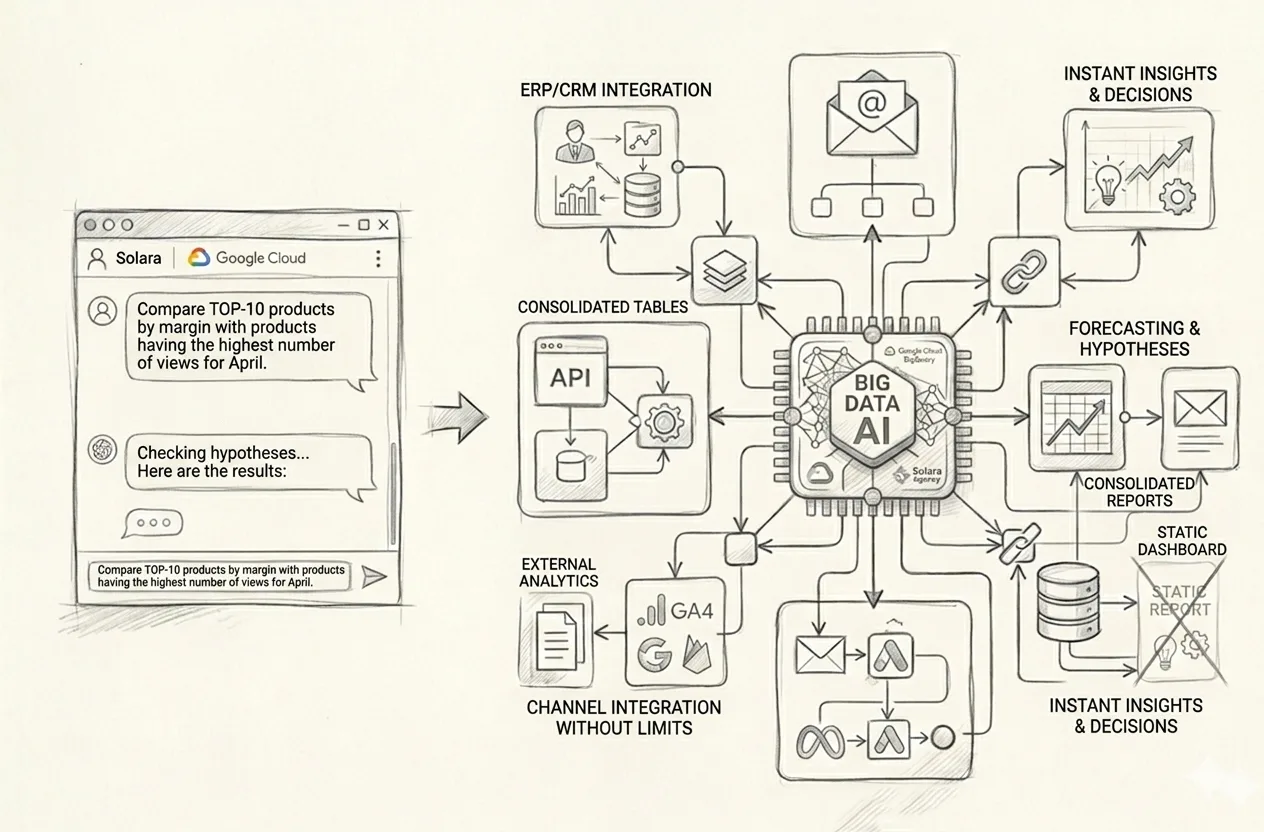
That is exactly why the market is gradually moving from manual reports, CRM funnels, and static dashboards to a personal AI Analyst for business — a system you do not just look at, but actually talk to.
You are no longer waiting for the next report. You are not searching for the right filter in the tenth dashboard. You are not going back to the team with “can you make one more cut of the data, just slightly differently.” You simply ask questions of the company’s real Big Data and immediately receive answers, tables, charts, comparisons, conclusions, and new analytical angles.
Where Reports End and the AI Analyst Begins
A traditional report shows what was prepared in advance. A dashboard does the same. It may be beautiful, complex, expensive, colorful, and even look impressive in a meeting. But the core idea does not change: you are looking at a pre-built slice of data.
An AI Analyst for business works differently. You are not just looking at a ready-made picture. You are asking any business question you want against the company’s data and turning that data around from different angles in a live dialogue.
So the difference is quite simple:
A report shows what someone prepared in advance.
A dashboard shows what was designed into it within a specific visualization logic.
An AI Analyst allows you to ask new questions, combine conditions, detect anomalies, build comparisons, tables, charts, and management conclusions in real time.
And this is where it gets interesting. Because in a real business, a manager almost never stops at one simple question. They need to test a decision from several angles, quickly change the angle of analysis, refine a hypothesis, compare different slices, and see not just a number, but a cause-and-effect picture.
Why Reports, Funnels, and Static Dashboards Are No Longer Enough
The problem with reports is not that they are useless. The problem is that they are almost always slower than the speed of management decisions.
The problem with dashboards is not that they are bad. The problem is that they show exactly what someone once decided they should show.
But a business does not operate in a mode where you just look at three charts and calm down. A business lives in a mode of constant follow-up questions:
why one channel brought a lot of traffic but little revenue;
why one product sells well while a similar one next to it sits there like dead weight;
why one manager has strong revenue but weak margin;
why the funnel looks fine, yet profit is not growing;
where exactly money is being lost even though everything looks decent at the top level.
And this is exactly where a static dashboard starts hitting its ceiling. Because it does not think with you. It cannot rebuild the analytical logic on the fly. It does not give you a real dialogue with the data. It simply stands there and shows what it was built to show.
An AI Analyst for business becomes valuable precisely at the point where it is no longer enough for a manager to merely look at data — they need to talk to it.
What a Personal AI Analyst Actually Delivers
A strong AI Analyst is not “just another AI chat.” It is an interface for access to the company’s real management analytics, consolidated from multiple sources into one analytical environment.
This system may include:
internal company systems;
CRM;
ERP;
Excel and Google Sheets;
order and sales databases;
Google Analytics and other web analytics systems;
advertising platforms;
financial spreadsheets;
operational data;
any other sources that matter for management analysis.
And then the interesting part begins — the part that traditional reports usually do not handle very well.
You can ask complex, practical, normal business questions such as:
find the top 10 products that sold best in April and show their revenue, margin, and share of repeat purchases;
now compare them with the 10 products that had the highest number of views but no purchases, and show the difference in margin, price, traffic sources, and landing pages;
find categories where ad spend is increasing but profit is not;
show managers with the highest number of deals but lower average profit per order than the team average;
find cities or regions where demand is high but conversion to payment is weak;
compare advertising campaigns that generate cheap leads with campaigns that generate better margin on actual orders;
find customer segments where acquisition cost is already destroying the unit economics;
build a month-by-month sales chart and overlay changes in advertising spend to see the lag between investment and result;
forecast demand by key categories if the current pace continues for another 8 weeks;
find where money is being lost between product view, add to cart, payment, and actual profit.
And the most important thing here is not that the system “knows the answer.” The important thing is that you can immediately ask the second, third, fourth, and fifth question — without waiting for a new report tomorrow or next week.
Why Standard Dashboards Do Not Surface This
A dashboard is good right up to the point where the set of cuts it contains is enough for you. But business decisions almost never stop on the first screen.
A manager sees a margin drop. Then they want to understand whether the problem is products, channels, or managers. Then they want to see only new customers. Then only certain regions. Then they want to overlay advertising data. Then look at returns. Then compare it with the previous quarter. Then identify outliers. Then get a short management conclusion.
This is where the report starts breathing heavily, and the dashboard just stares back with its pre-built charts and offers nothing new.
An AI Analyst wins on flexibility. You are not tied to one pre-defined viewing scenario. You carry on a dialogue with the data and test management hypotheses in real time.
Speed and Accuracy of Management Decisions
One of the biggest advantages of this model is speed.
When management analytics depends on manual preparation, there is always a delay in the business between the question and the answer. And together with that delay come:
decisions based on intuition;
unchecked hypotheses;
lost time;
human error in report preparation;
the habit of looking only at the “standard set of KPIs.”
When a manager has a personal AI Analyst, they can instantly test decisions from different angles. Not through the long chain of “asked — waited — assembled — clarified — reassembled,” but directly.
And that is not just convenient. It genuinely changes the quality of management decisions.
Because speed in this kind of analytics is not about rushing. It is about making a good decision while the data is still alive, not when it has already ended up in a presentation that is three days old.
An AI Analyst Is Like a Strong Analyst on the Team — Only Much Faster
This is probably one of the clearest analogies.
A good AI Analyst for business works like a qualified analyst in the team:
understands questions in plain language;
finds the relevant data;
builds tables;
creates charts;
produces comparisons;
highlights anomalies;
helps identify risks, losses, and growth opportunities;
can produce a short conclusion or suggest a new analytical angle.
But at the same time, it does not get tired, does not manually combine ten different files, does not get lost between spreadsheet tabs, and does not prepare the report “for tomorrow” if the question can be checked right now.
And this does not mean AI fully replaces the team. It means the team stops drowning in routine work and can focus on what actually requires human managerial and analytical thinking.
Why the Combination of Google Cloud + BigQuery + Gemini + Vertex AI Is So Strong Here
If we speak practically, the strength of this approach is not in some abstract “we also added AI.” The strength is that with Google Cloud and BigQuery, you can build a closed analytical environment where large volumes of data from different sources begin to work as a single system.
BigQuery provides the foundation for scalable work with large datasets and fast analytical access to them. On top of that comes the Gemini / Vertex AI layer, which enables natural-language interaction with the data, complex questioning, explanations, tables, charts, and analytical conclusions.
So this is not about “yet another dashboard.” And not about “yet another BI wrapper.” It is about your data beginning to speak with you properly — quickly, flexibly, and in the format of a management dialogue.
You Do Not Adapt to the Report. Analytics Adapts to Your Question
This is probably the main point of the whole topic.
In the old model, a manager looks at a report or dashboard and tries to squeeze their real question into the format they have already been given.
In the new model, everything works the other way around: management analytics adapts to your real question.
Do you want to see the products with the best margin among those that convert worst from product view to purchase? No problem.
Do you want to compare advertising campaigns not by lead volume, but by actual profit after returns and logistics costs? Fine.
Do you want to check which managers drive revenue and which ones drive real profit? Also possible.
That is why a personal AI Analyst is not “just another reporting tool.” It is already an element of modern management infrastructure.
What This Means for Business in Practice
For business, this means one very simple thing: the era when all management analytics depended on manual reports, scattered Excel files, static funnels, and a familiar set of dashboards is gradually coming to an end.
Yes, reports will still be needed. Yes, BI is not going anywhere. But the real advantage will now belong to companies that can:
consolidate data from all their systems into one analytical environment;
ask any business question against that data in plain language;
receive tables, charts, conclusions, and forecasts immediately;
test management decisions from different angles very quickly;
identify growth points, risks, and losses without a long manual analytics cycle.
Conclusion
The shift from reports, CRM funnels, and static dashboards to a personal AI Analyst is not a fashion trend and not some attractive digital gimmick.
It is the natural next step for businesses that want to make decisions faster, more accurately, and on the basis of the company’s real data — not on intuition, delayed reporting, or the limitations of pre-built data views.
An AI Analyst for business is not just “another AI chat.” It is a way to turn the company’s real Big Data into a conversational management tool.
And this is exactly where the difference becomes visible between analytics that people merely look at and analytics they can actually work with.
FAQ: AI Analyst for Business in Brief
How is an AI Analyst different from a dashboard?
A dashboard shows pre-defined slices of data. An AI Analyst lets you ask new questions against company data in plain language, combine conditions, build tables, charts, comparisons, and receive management conclusions in real time.
Does an AI Analyst replace a BI system?
Not necessarily. More often, it complements the BI layer and introduces a new way of interacting with data. Where a dashboard shows static views, an AI Analyst enables flexible dialogue and new analytical angles.
What data can be connected to an AI Analyst?
Internal systems, CRM, ERP, Excel, Google Sheets, sales databases, financial spreadsheets, web analytics, advertising systems, and other sources that matter for the business’s management analytics.
What kinds of questions can you ask an AI Analyst?
Almost any management question: about sales, margin, channels, categories, managers, customers, repeat purchases, advertising efficiency, regions, anomalies, risks, losses, forecasts, and growth points.
Not long ago, the market was playing around with AI chats at scale.
Put simply, if a website had a little window that could reply in something vaguely resembling human language, it was already being presented as “AI implementation.”
It sounded modern. It looked decent in a presentation. Some people even got excited.
But in real business, one simple thing became obvious pretty quickly: an AI chat is not automation yet. It is just a conversation interface. Sometimes useful. Sometimes nice-looking. Sometimes even fairly decent at answering typical questions. But between “having a nice conversation” and “executing part of a real business process,” there is a gap where many polished SaaS solutions quietly lose their credibility.
That is exactly why businesses are moving from simple AI chats to AI agents for business processes. Not to bots that speak nicely. But to systems that actually do things:
validate data,
work with internal services,
trigger logic,
operate according to company rules,
hand the user off to another scenario or another agent,
send emails,
call specific APIs in sequence,
check conditions and drive the task to a concrete result.
Where an AI Chat Ends and an AI Agent Begins
An AI chat usually answers questions. In a better case, it consults. In an even better case, it helps a person avoid getting lost on a website. That is already useful. But if we are being honest, in most cases it is still a digital conversationalist, not a digital operator.
An AI agent for business processes is a different structure altogether. Its job is not just to keep a conversation going, but to guide a person or an internal process through a specific scenario with rules, validations, transitions, and actions.
If we put it in plain English, the difference is simple:
An AI chat answers questions.
An AI agent executes logic, performs actions within a process, and answers questions when needed.
And this is where it gets interesting. In a real company, tasks almost never come down to “reply nicely.” What a company needs is a system that works within a specific operational logic. And that is already a completely different architectural level.
Why Businesses Need More Than Just a “Smart Bot”
The problem with most boxed solutions is not that they are bad. The problem is that they are usually good only until the process remains typical, simple, and not too deeply embedded in the real operational machinery of a company.
And then real life begins.
A company has its own rules. Its own tables. Its own fields. Its own statuses. Its own exceptions. Its own approval routes. Its own internal services. Its own strange legacy decisions that nobody loves but everybody has to live with. And this is exactly where it becomes obvious that real AI agents for business processes cannot be built as a universal SaaS box “for everyone.”
Because a business process is not a template from a landing page or some book about “1488 steps to insane success.” It is a living system with conditions, roles, validations, and accountability. If an agent cannot work inside that logic, it remains just a talkative layer sitting on top of chaos.
What an AI Agent Can Actually Do Inside a Company
This is exactly where the line is drawn between “oh, now we have a bot” and “we now have a working digital agent.”
In a real business, an agent can do far more than just talk. It can execute scenarios like these:
analyze schedules or other specific files according to internal company rules;
validate user-provided data and reconcile it with CRM, ERP, or other systems;
send an intermediate verification code by email or to a smartphone to continue the dialogue or confirm an action;
hand the user off to another agent or another flow with separate instructions and logic depending on certain conditions;
call API methods depending on validation results or algorithm conditions;
create requests, bookings, appointments, internal notifications, or emails;
work with multi-step scenarios where what matters is not one answer, but the full route to the final action;
and plenty of other things that would be hard to fully invent just for one article.
And here is the key idea: the value of an agent is not that it can speak nicely. Its value is that it can become part of a controlled process and help people by taking routine work off their shoulders.
Why a Good Agent Often Has Less Than 10% Actual AI
Many people do not love this part because it slightly ruins the magical picture. But the truth is that in serious agent-based solutions, the amount of “pure AI” may be just 10%. Sometimes even less. And sometimes a process can work almost without AI at all.
Because if you break a good agent into components, the structure usually looks something like this:
business logic,
rules and constraints,
integrations with internal systems,
checks and validations,
routing between scenarios and roles,
security and access control,
logging, monitoring, and error control,
decision-making algorithms,
and only on top of all that — a language model that helps interact with a human normally.
So yes, AI is needed here. But not as a circus act and not as magic dust sprinkled over an old process in the hope of enlightenment. It is needed as one component of a system where everything critical rests not on model improvisation, but on a well-designed architecture.
And that, by the way, is a sign of a mature approach. When a company does not try to dump responsibility onto a “smart model,” but instead builds an environment in which the agent can operate in a controlled way.
Why the SaaS Box Almost Always Hits a Ceiling
A boxed solution is good when you need to start quickly with something basic. FAQ. Simple consultations. Standard lead capture. A straightforward dialogue without too many exceptions. And that is perfectly fine.
But real business almost never lives only in that mode.
As soon as you need to:
work with non-standard files or specific data structures,
build multi-step branching logic,
perform verification through email, code, or an internal system,
split scenarios across multiple agents,
execute conditional API calls,
adapt behavior to the rules of a specific company,
maintain control over process, security, and scaling,
— the boxed approach starts to fall apart. Not because “the developers are bad.” But because the box itself was never designed for the real, unique process of a specific business.
And this is where many companies make the core mistake: they try to squeeze a living business process into someone else’s box instead of designing a system around their own needs.
Why Google Cloud Architecture Is Especially Strong Here
If we talk practically, the strength of Google Cloud is not that “it has one more model.” The real strength is that on Google Cloud you can build not just a chat, but a full microservices architecture for company business processes.
In other words, not “a bot for the sake of having a bot,” but a system where you can combine:
Gemini / Vertex AI for the language layer and context handling;
Agent Orchestration for complex scenarios;
Cloud Run and server-side logic for controlled actions;
API integrations with internal and external systems;
work with files, knowledge bases, RAG, and specific data sources;
routing between agents and different flows;
monitoring, logging, scaling, and enterprise-grade security;
and plenty of other useful components.
And this is no longer a story about “one more bot on a website.” This is a story about how a digital agent starts operating inside the real operational contour of a company.
The Business Does Not Adapt to the Agent. The Agent Adapts to the Business
This is probably the main point of the whole topic.
In the weak scenario, a company buys a boxed AI tool and then painfully tries to figure out how to stretch its process over it.
In the strong scenario, everything works the other way around: first, the business process itself is analyzed — its logic, validations, roles, data, risk points, and automation points. Only after that is an agent system designed and embedded into that process.
That is why strong AI agents for business processes are not “a marketing add-on.” They are already an element of a company’s operational architecture.
What This Means for Business in Practice
In practice, this means something very simple, though not always pleasant: the era of AI chats as a self-sufficient answer is gradually coming to an end.
Yes, a chat can still be useful. As a front layer. As an entry point. As an interaction interface. But the real value appears where there is an agent system behind that interface — one that:
does not just talk, but executes,
does not just promise automation, but actually removes workload from people,
does not live separately from the business, but embeds into its processes,
does not fantasize instead of following rules, but works inside controlled logic.
Conclusion
The shift from simple AI chats to AI agents is not a fashion trend and not just a pretty change in terminology. It is a natural mature stage in the development of the market.
Business no longer needs a system that merely supports a dialogue. Business needs an agent that can become part of real work: validating, triggering, reconciling, handing off, confirming, executing scenarios, and driving an action to its final result.
And this is exactly where the difference becomes visible — where demonstrational AI ends and real company digital infrastructure begins.
The future does not belong to bots that simply talk nicely. The future belongs to AI agents for business processes that know how to be not a showpiece, but a working business tool.
FAQ: AI Agents for Business Processes in Brief
What is the difference between an AI agent and an AI chat?
An AI chat mainly answers questions. An AI agent not only supports dialogue but also executes actions within a business process: validating data, triggering logic, calling APIs, handing a user off to another flow, or producing a result in an internal system.
Can you build a serious AI agent on a SaaS box?
For basic scenarios, sometimes yes. For deeper processes with non-standard rules, files, validations, integrations, and multi-step logic, usually no. In those cases, a custom architecture is almost always required.
Why can AI be only 10% of an AI agent?
Because the real value is often created not by model responses, but by rules, algorithms, integrations, validations, routing, and execution control. The model is only one component of a much larger system.
What business tasks are AI agents suitable for?
They are suitable for support, sales, bookings, lead qualification, document workflows, data validation, internal scenario execution, CRM/ERP-based request handling, and many other processes where logic, rules, and repeatable actions are involved.